Adding an extended warranty to your product isn’t just a support feature—it’s a growth lever. Whether you’re an OEM, retailer, or DTC brand, a well-integrated warranty program can increase customer trust, create recurring revenue, and reduce churn.
“Adding an extended warranty is the fastest path to turning a one-time transaction into a long-term customer relationship.”
All Shield,
Why Offer Extended Warranties in the First Place?
Extended warranties aren’t just about offering extra coverage—they’re about owning the entire post-sale experience. When customers feel protected, they’re more likely to return, refer, and even pay more upfront. Brands that offer extended warranties also benefit from an additional revenue stream that scales with every unit sold.
- Recurring Revenue: Warranty programs allow you to earn beyond the original product sale. Whether it’s a one-time upsell or monthly protection plan, this is a scalable, margin-friendly revenue channel.
- Customer Lifetime Value (LTV): Warranty buyers tend to stay loyal longer. Offering extended coverage keeps your brand top-of-mind well after purchase.
- Brand Trust: Transparent warranty terms can boost trust and reduce negative reviews. It shows you stand behind your products.
- Data Insights: Warranties give you rich data on failure points, usage patterns, and customer service interactions—insights that help inform product development.
3 Simple Ways to Add Extended Warranties
1. Use a White-Label Warranty Platform
White-label platforms like All Shield let you launch a branded warranty program without building one from scratch. You choose the coverage rules, pricing, and branding. The provider handles the backend—claims processing, compliance, tech stack.
This model gives you full control over how your brand is presented during the most sensitive moments: when something breaks.
2. eCommerce Warranty Plugins
If you sell through Shopify, BigCommerce, or WooCommerce, plugins make it easy to embed warranty offers directly at checkout. These can be configured by product type or price point, and synced with your CRM or email platform to automate follow-ups.
This option is especially useful for electronics, appliances, and fitness brands where customer service expectations are high.
3. Point-of-Sale (POS) Warranty Offers
In-store retailers or those with dealer networks can add warranty options directly into the POS flow. You can upsell protection on eligible items, then track registrations and claims through a centralized dashboard.
POS-based extended warranty sales are powerful for furniture, appliance, and automotive verticals, where high-ticket items justify added coverage.
What Coverage Should You Include?
Not all products need the same kind of coverage. The right warranty model depends on the price, complexity, and expected lifespan of your product.
- Extended Warranty: Extends coverage beyond the manufacturer’s warranty. Ideal for electronics, HVAC, or appliances.
- Service Contracts: May include parts, labor, maintenance, or installation. Great for commercial equipment or connected devices.
- Replacement Plans: For lower-cost, high-volume items where a swap is more cost-effective than a repair.
- Connected Device Protection: Covers software bugs, connectivity failures, or firmware issues—perfect for IoT and smart home brands.
Legal & Compliance Considerations
Warranties aren’t insurance—but they still come with regulatory requirements. In the U.S., the FTC requires that service contracts be clearly disclosed, while in Canada, PIPEDA, FSRA, and Quebec’s Bill 64 set the rules.
Fortunately, modern warranty platforms handle this for you:
- Automatically tag policies with state/provincial compliance codes
- Include digital disclosures in both English and French
- Ensure your coverage avoids “insurance” triggers
You don’t need a legal department—you just need a compliant partner.
How to Integrate It Into Your Sales Funnel
Customers expect simplicity. To convert, your warranty offers need to appear where they’re already taking action.
- Checkout Upsell: Add a protection plan as a checkbox or upsell page during checkout.
- Post-Sale Email Offers: Send warranty offers 3–5 days after the initial purchase.
- QR-Based Activation: Add a QR code to the product or packaging that leads to a branded warranty registration portal.
- Embedded Registration Flow: For connected devices, prompt the user to register and choose coverage during setup.
The faster you get your warranty in front of the buyer, the better your conversion rate.
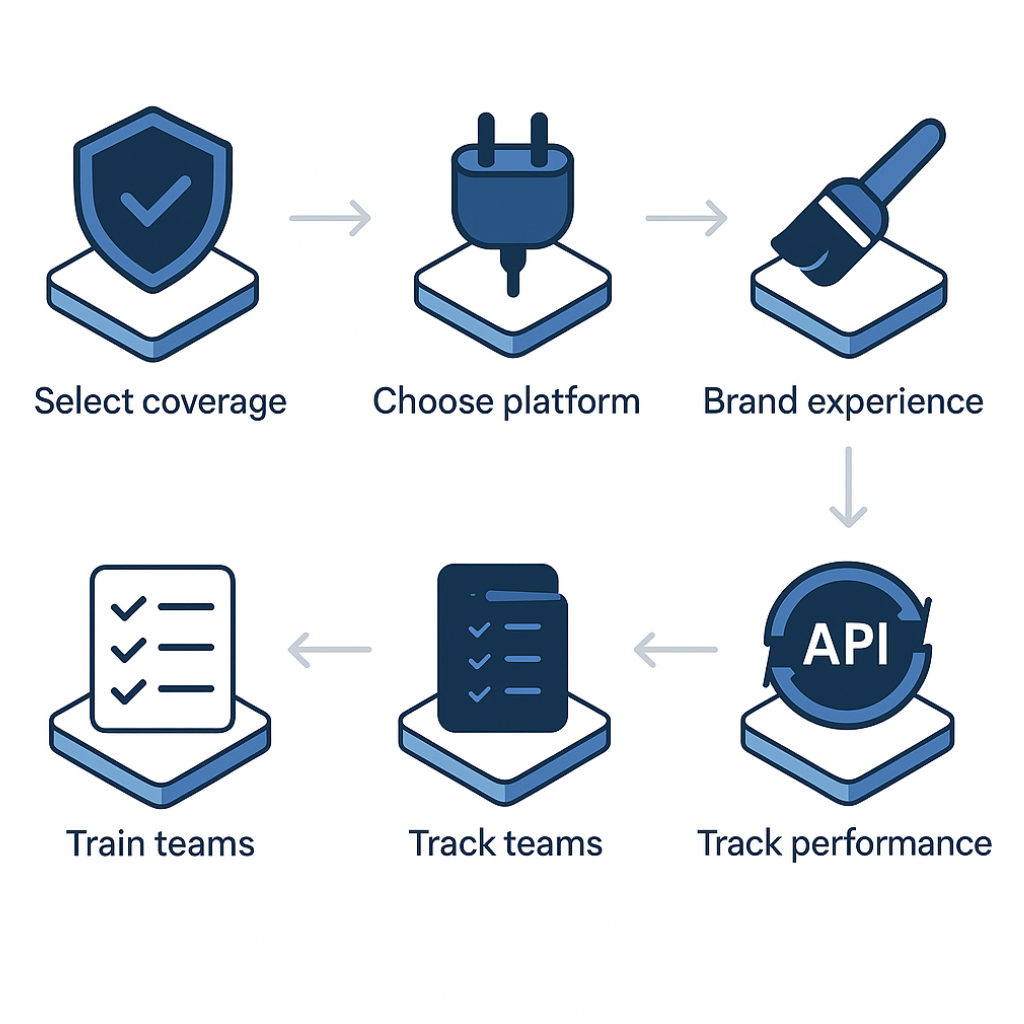
Tools You Need to Launch Quickly
Whether you’re integrating online or offline, the stack is similar:
- Warranty Platform: Manages programs, terms, claims, renewals
- API or Plugin: Enables checkout, CRM, or POS integration
- Product Registration: QR codes, serial entry, or embedded flows
- Claim Processing Engine: Automates validation and workflows
- Analytics Dashboard: Tracks performance, LTV, and usage
- Multilingual Support: French/English localization for Canada
Industries That Benefit Most
Some industries get especially strong ROI from extended warranty programs:
- Auto Dealers: Add F&I-style coverage to in-stock units; VIN-based warranty registration
- Smart Home OEMs: Offer cloud-based protection with over-the-air updates
- Furniture & Appliance Retailers: Reduce return rates and enhance in-store upsells
- Electronics & Fitness Brands: Bundle protection with checkout or app-based registration
If your product has a lifecycle, an upsell opportunity, or the risk of breakage—warranty works.
Conclusion
Adding an extended warranty isn’t hard—but doing it wrong can damage trust. With All Shield, you can launch a white-labeled, fully compliant warranty program in under 30 days—integrated into your tech stack and branded from end to end.
Book a free strategy session to turn your product protection into a profit engine.
FAQ
Q: Do I need a license to sell warranties?
A: No, not if you work with a compliant admin like All Shield.
Q: How much can I charge for extended warranties?
A: It varies by product category and coverage, but the typical range is 10–20% of product value.
Q: Can I offer extended warranties on Amazon or Shopify?
A: Yes. All Shield supports both platforms with plugins or API-based integrations.
Q: What if my support team isn’t set up to handle claims?
A: Our backend handles claims logistics—your team stays focused on CX.
Q: Do you support bilingual warranties in Canada?
A: Absolutely. Our platform supports full French/English compliance across all provinces.